Persistent storage in NEXUS AI
Most application deployment platforms make stateless services easy and stateful workloads awkward. That works until your app needs user uploads, generated reports, SQLite files, model artifacts, or a shared object store for background jobs.
By Platform Super Admin • • Storage · DevOps
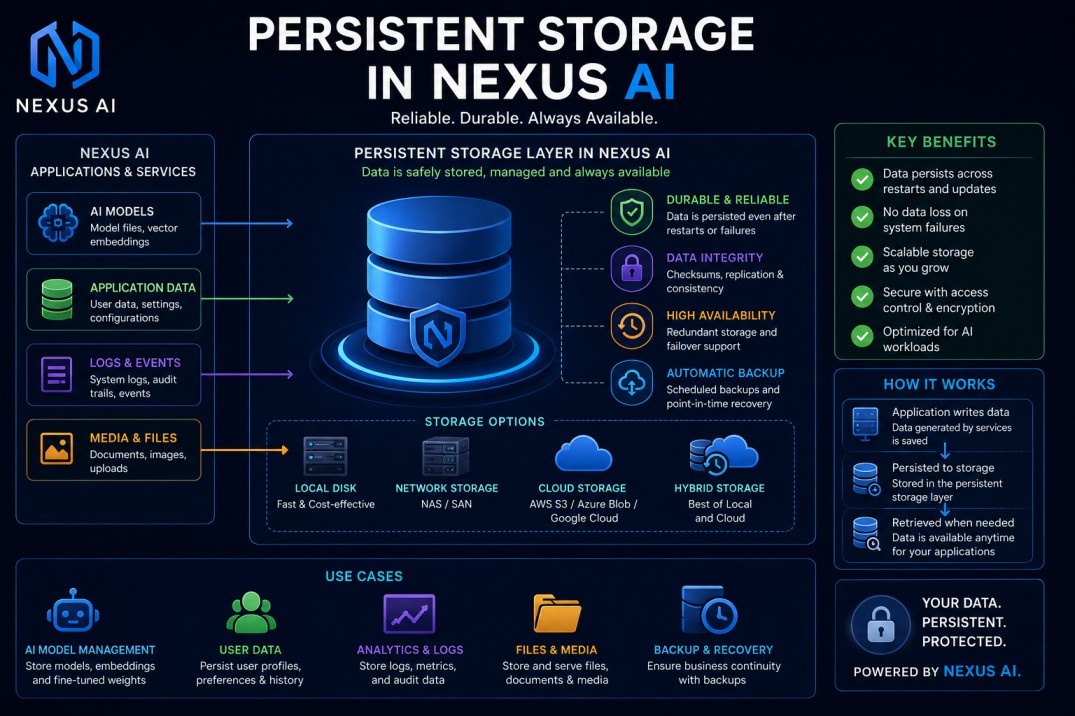
Published: May 9, 2026
Category: Storage · DevOps
Reading time: 11 minutes
Author: NEXUS AI Team
Most application deployment platforms make stateless services easy and stateful workloads awkward. That works until your app needs user uploads, generated reports, SQLite files, model artifacts, or a shared object store for background jobs.
NEXUS AI now includes two storage primitives for deployed applications:
- Volumes for persistent filesystem mounts.
- Buckets for S3-compatible object storage.
Both are organization-scoped. Both can be attached to deployments. Both survive container restarts, redeploys, and deployment deletion until you explicitly delete the storage resource.
This post explains when to use each one, how to attach them, how they behave during scaling, and the exact CLI commands to run.
Two storage primitives
Volumes and buckets solve different problems.
| Feature | Best for | Access pattern | Attachment model |
|---|---|---|---|
| Volumes | Filesystem state, SQLite, local uploads, persistent caches | App reads and writes a mounted path like /data |
Single deployment |
| Buckets | User media, reports, generated assets, object storage | App uses S3-compatible SDK calls | Multiple deployments |
Use a volume when your app expects a local filesystem path.
Use a bucket when your app can store data as objects by key using an S3 SDK.
Volumes: persistent filesystem mounts
A NEXUS AI volume is a persistent filesystem mount backed by a Docker named volume. Your app writes to a path, usually /data, and the data remains available after redeploys or container replacement.
Create a volume:
nexus volume create app-data --display-name "App data"
Deploy your app:
nexus deploy source \
  --repo https://github.com/your-org/your-app \
  --name myapp \
  --provider docker \
  --wait
Attach the volume:
nexus volume attach <volume-id> <deployment-id> --mount /data
Redeploy so the new container starts with the mount:
nexus deploy redeploy <deployment-id> --wait
That redeploy step matters. Docker mounts are applied when a container is created. You cannot add a volume mount to an already-running container.
Verify the mount:
docker exec <container-id> ls -la /data
When to use volumes
Volumes are a good fit for:
- SQLite databases for small apps.
- User uploads written through the filesystem.
- Persistent cache directories.
- Generated files that your app expects to read from disk.
- Model files or local indexes that survive redeploys.
Volumes are not a good fit for every scaled workload. If multiple app replicas write the same file at the same time, your application needs to handle locking or coordination.
Think of a NEXUS AI volume like a shared network drive. It persists, but it does not magically make unsafe concurrent writes safe.
How volumes behave when you scale
When you scale a deployment up, every replica mounts the same named volume at the same path.
nexus deploy scale <deployment-id> 3
All three replicas now see the same files under /data.
That is useful for read-mostly data, shared assets, or workloads with explicit locking. It is risky for apps that assume a single writer, such as a default SQLite setup with multiple write-heavy replicas.
When you scale down:
nexus deploy scale <deployment-id> 1
The removed containers detach. The volume remains. The remaining replica keeps using the same data.
When you delete the deployment, the volume still survives. You must explicitly detach and delete the volume if you want to destroy the data.
nexus volume detach <volume-id>
nexus volume delete <volume-id> --yes
Buckets: S3-compatible object storage
A NEXUS AI bucket is S3-compatible object storage backed by MinIO. Your app interacts with it using standard AWS SDKs, boto3, or any S3-compatible client.
Create a bucket:
nexus bucket create user-uploads --display-name "User uploads"
Attach it to a deployment:
nexus bucket attach <bucket-id> <deployment-id>
nexus deploy redeploy <deployment-id> --wait
After redeploy, NEXUS AI injects S3 environment variables into the app container:
S3_ENDPOINT=http://host.docker.internal:9000
S3_REGION=us-east-1
S3_BUCKET=org-<orgIdShort>-<bucketName>
S3_ACCESS_KEY=<scoped access key>
S3_SECRET_KEY=<scoped secret key>
If multiple buckets are attached, NEXUS AI also injects per-bucket aliases:
S3_BUCKET_USER_UPLOADS=org-...-user-uploads
S3_BUCKET_USER_UPLOADS_ACCESS_KEY=...
S3_BUCKET_USER_UPLOADS_SECRET_KEY=...
Example: write files to a bucket from Python
Your app can use boto3 with the injected environment variables:
import os
import boto3

s3 = boto3.client(
    "s3",
    endpoint_url=os.environ["S3_ENDPOINT"],
    aws_access_key_id=os.environ["S3_ACCESS_KEY"],
    aws_secret_access_key=os.environ["S3_SECRET_KEY"],
    region_name=os.environ["S3_REGION"],
)

s3.put_object(
    Bucket=os.environ["S3_BUCKET"],
    Key="uploads/hello.txt",
    Body=b"hello from NEXUS AI",
)
That same pattern works with the AWS SDK for JavaScript, Go, Java, Ruby, PHP, and other S3-compatible clients.
Bucket file operations from the CLI
List files:
nexus bucket files <bucket-id>
nexus bucket files <bucket-id> --prefix uploads/
Upload a file:
nexus bucket upload <bucket-id> ./report.pdf --key reports/report.pdf
Download a file:
nexus bucket download <bucket-id> reports/report.pdf --out ./report.pdf
Generate a short-lived signed download URL:
nexus bucket download <bucket-id> reports/report.pdf --share --ttl 900
Delete a file:
nexus bucket rm <bucket-id> reports/report.pdf --yes
The CLI upload path streams from disk, which is better for large files than browser uploads.
Scoped credentials and rotation
Each bucket gets scoped S3 credentials. A deployment attached to one bucket does not automatically get access to every bucket in the organization.
Reveal credentials for external clients:
nexus bucket credentials <bucket-id>
Rotate credentials:
nexus bucket rotate-credentials <bucket-id> --yes
nexus deploy redeploy <deployment-id> --wait
Redeploy is required because the running container already has the old environment variables. The next container start receives the new S3_ACCESS_KEY and S3_SECRET_KEY.
Buckets and scaling
Buckets are usually a better fit for scaled apps than shared filesystem volumes.
When you scale up, every replica receives the same S3 environment variables. Each replica makes independent S3 API calls. The object storage layer handles concurrent requests.
nexus deploy scale <deployment-id> 3
For object keys, the normal S3 rule applies: if two replicas write the same key, the last write wins. Use unique keys when each replica should produce independent output.
When you scale down, nothing needs to detach. The removed container stops making S3 calls. The bucket and objects remain.
REST API reference
Volumes:
GET    /api/volumes
POST   /api/volumes
POST   /api/volumes/:id/attach
POST   /api/volumes/:id/detach
POST   /api/volumes/:id/refresh-usage
DELETE /api/volumes/:id
Buckets:
GET    /api/buckets
POST   /api/buckets
POST   /api/buckets/:id/attach
POST   /api/buckets/:id/detach
POST   /api/buckets/:id/refresh-usage
POST   /api/buckets/:id/rotate-credentials
GET    /api/buckets/:id/credentials
GET    /api/buckets/:id/files
PUT    /api/buckets/:id/files/:key
GET    /api/buckets/:id/files/:key/download
POST   /api/buckets/:id/files/:key/download-url
DELETE /api/buckets/:id/files/:key
GET    /api/bucket-downloads/:token
Example volume attach request:
curl -s -X POST "$NEXUS_API_BASE/volumes/<volume-id>/attach" \
  -H "Authorization: Bearer $NEXUS_JWT" \
  -H "Content-Type: application/json" \
  -d '{"deploymentId":"<deployment-id>","mountPath":"/data"}'
Example bucket attach request:
curl -s -X POST "$NEXUS_API_BASE/buckets/<bucket-id>/attach" \
  -H "Authorization: Bearer $NEXUS_JWT" \
  -H "Content-Type: application/json" \
  -d '{"deploymentId":"<deployment-id>"}'
MCP tools
AI clients can operate storage through MCP tools with scoped permissions.
Volume tools:
nexusai_volume_list
nexusai_volume_create
nexusai_volume_attach
nexusai_volume_detach
nexusai_volume_delete
Bucket tools:
nexusai_bucket_list
nexusai_bucket_create
nexusai_bucket_attach
nexusai_bucket_detach
nexusai_bucket_rotate_credentials
nexusai_bucket_files_list
nexusai_bucket_file_download
nexusai_bucket_file_delete
nexusai_bucket_delete
Use MCP for operational flows like “create a bucket for this deployment, attach it, then remind me to redeploy,” while keeping destructive operations behind confirmation.
Which one should you choose?
Choose a volume when:
- Your app requires a filesystem path.
- You need persistent local files.
- You are running a single replica or have safe file-locking behavior.
- You want simple persistence for Docker-based deployments.
Choose a bucket when:
- Your app stores uploads or generated files.
- Multiple deployments need access to the same storage.
- The app may scale to multiple replicas.
- You want S3-compatible tooling and signed URLs.
For most user-upload and generated-asset workflows, buckets are the better long-term default. For apps that truly expect local disk, volumes are the practical answer.
Final takeaway
NEXUS AI now gives deployed apps durable storage without forcing every app into the same model.
Volumes give you persistent filesystem mounts. Buckets give you S3-compatible object storage with scoped credentials, file operations, signed URLs, and multi-deployment attachment.
The rule is simple: use volumes for local filesystem state, and use buckets for object storage. Then redeploy after attaching so your containers receive the mount or environment variables they need.