Database Backup and Restore in NEXUS AI: A Complete Guide
Learn how to protect your data with NEXUS AI's built-in backup and restore tools for PostgreSQL, MySQL, MongoDB, and Redis — using the dashboard, CLI, and API.
By Platform Super Admin • • Devops, Database
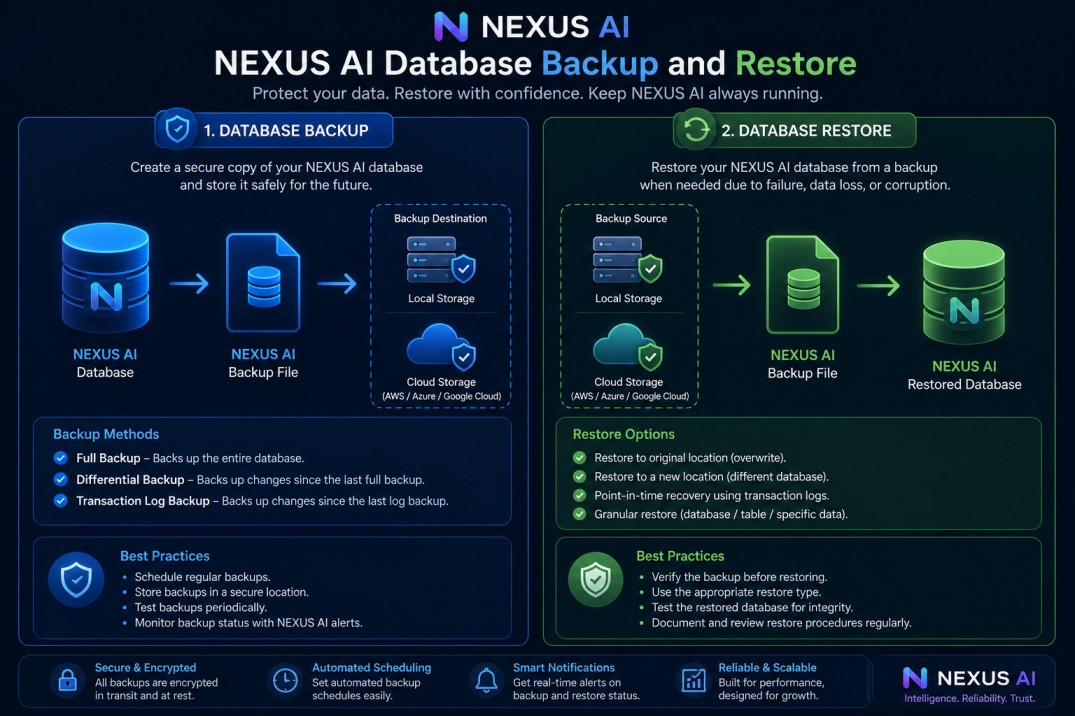
Every production deployment needs a data recovery plan. NEXUS AI ships built-in backup and restore for all four supported database engines: PostgreSQL, MySQL, MongoDB, and Redis. This guide covers three ways to use it: the dashboard, the CLI, and direct API calls.
What gets backed up
When you deploy a full-stack application on NEXUS AI with a database service, the platform manages the database container alongside your app in a private Docker network. Backups capture a consistent snapshot of that data:
- PostgreSQL — uses
pg_dumpin custom format (.dump) - MySQL — uses
mysqldumpSQL export (.sql) - MongoDB — uses
mongodumpcompressed archive (.archive) - Redis — uses the native RDB snapshot (
.rdb)
All backup files are stored server-side and tracked in the NEXUS AI platform. Each backup record shows the engine type, file size, status, and creation time.
Using the CLI
Install or update the CLI:
npm install -g nexusapp-cli
nexus --version
Create a backup
nexus db backup <service-id>
The command streams progress and prints a summary when done:
✔ Backup created
  ID:      3f8a1c2d-...
  Type:    postgresql
  Size:    4.2 MB
  Created: just now
Find your service-id by running nexus deploy status <deployment-name> and looking at the attached services table.
List backups
nexus db backups <service-id>
Output:
ID                                    TYPE          SIZE      STATUS     CREATED
3f8a1c2d-...                          postgresql    4.2 MB    completed  2m ago
1a2b3c4e-...                          postgresql    3.9 MB    completed  1d ago
Restore from a backup
nexus db restore <service-id> <backup-id>
You will be prompted to confirm before the restore runs — this overwrites current data. Use --yes to skip the prompt in scripts:
nexus db restore <service-id> <backup-id> --yes
Restoring PostgreSQL and MySQL replays all data with --clean / --drop semantics so the target schema is wiped before the restore. MongoDB uses --drop per collection. Redis stops the container, swaps the RDB file, and restarts — expect a few seconds of downtime.
Delete a backup
nexus db backup-delete <service-id> <backup-id>
This removes both the file on disk and the tracking record. Deletion is permanent.
Enable daily automated backups
nexus db backup-schedule <service-id> --enable
Once enabled, NEXUS AI runs a backup every 24 hours automatically. To disable:
nexus db backup-schedule <service-id> --disable
Using the REST API
All backup operations are also available over HTTP. Authenticate with a Bearer token from nexus auth token create.
Create a backup
curl -X POST https://nexusai.run/api/deployment-services/<service-id>/backup \
  -H "Authorization: Bearer $NEXUS_TOKEN"
List backups
curl https://nexusai.run/api/deployment-services/<service-id>/backups \
  -H "Authorization: Bearer $NEXUS_TOKEN"
Restore
curl -X POST https://nexusai.run/api/deployment-services/<service-id>/restore \
  -H "Authorization: Bearer $NEXUS_TOKEN" \
  -H "Content-Type: application/json" \
  -d '{"backupId":"<backup-id>"}'
Toggle scheduled backups
curl -X PATCH https://nexusai.run/api/deployment-services/<service-id>/backup/schedule \
  -H "Authorization: Bearer $NEXUS_TOKEN" \
  -H "Content-Type: application/json" \
  -d '{"enabled":true}'
Disaster recovery playbook
Here is a practical runbook for restoring after data loss:
1. List your recent backups
nexus db backups <service-id> --json | jq '.[0:3]'
Pick the most recent backup with "status": "completed".
2. Verify the backup exists
nexus db backups <service-id> | grep <backup-id>
3. Run the restore
nexus db restore <service-id> <backup-id> --yes
4. Verify your application
Check your app is healthy after the restore:
nexus deploy status <deployment-name>
Watch for the health check to return healthy before routing traffic back.
Setting up automated backups (recommended)
For any production database, enable daily backups immediately after deploy:
# Deploy your app
nexus deploy source https://github.com/your/repo --name my-app

# Find the database service ID
nexus deploy status my-app --json | jq '.services[] | select(.serviceType == "postgresql") | .id'

# Enable daily backups
nexus db backup-schedule <service-id> --enable
NEXUS AI runs the backup job every 24 hours. The last backup time is visible in nexus deploy status.
What to do before a risky migration
Run a manual backup before any schema migration or destructive operation:
nexus db backup <service-id>
Save the backup ID, run your migration, and restore from that ID if anything goes wrong. This gives you a clean rollback path without downtime planning.
Engine-specific notes
PostgreSQL
Backups use pg_dump -F c (custom format). Restores use pg_restore --clean --if-exists, which drops and recreates all objects. The target database must exist.
MySQL
Backups are plain SQL dumps. Restores pipe the SQL directly into mysql. All tables in the target database are replaced.
MongoDB
Backups use mongodump with authentication against the admin database. Restores use mongorestore --drop, which removes each existing collection before importing. Only the named database is restored.
Redis
Redis backups trigger a BGSAVE and copy the resulting dump.rdb file. Restores stop the container, replace the RDB, and restart. There is a brief connection interruption during restore.
Limitations
- Backup files are stored on the NEXUS AI server. For off-site copies, download them via the dashboard or export endpoints.
- Backups reflect the state at the moment
pg_dump/mysqldump/mongodumpruns. In-flight transactions may not be captured. - Redis BGSAVE is non-blocking but the saved RDB may be up to a few seconds behind the latest write.